Short answer: on Tinder, Hinge and Bumble, the list of everyone who liked you is not available on the free tier. What you can do for free is check the likes screen, read your matches and messages, and learn to spot the signals that give an admirer away.
That is the honest version, and it matters more than it sounds. Undiscovered likes expire, so a blurred grid is not just annoying, it is how real matches quietly disappear. Searchers who search how to see who liked you without paying usually want one of two things, and they are different: the free signals that exist today, or an honest read on whether a subscription is worth anything. Both are covered below.
Menu names change often across app versions, so treat anything you read here as a description of where to look rather than pixel-perfect directions. Feature labels vary by platform, region and account tier, and the app will usually tell you when something has moved.
Last checked in October 2026 against the current free tiers on the three apps people ask about most.
What You Need Before You Start
Four things, and none of them cost money.
- An active account in good standing. New accounts and accounts with unverified email or phone numbers often see a thinner version of the free tier, so verify before you assume a feature is missing.
- The current version of the app. Interface labels for the likes area have moved around more than any other part of these apps. Update first, then look for the screen.
- Push notifications turned on. This is the single most useful free tool, because it tells you a like happened while the app was closed.
- An honest expectation about blurring. On most free tiers you will see a count of hidden likes, or one face with the rest blurred. That blurred grid is the paywall, not a glitch.
One more piece of context before the steps. A free account is not being punished. Every major app deliberately hides the full like list, because that list is the most reliable conversion lever they have. Knowing that up front stops you from reading the blurred grid as a technical fault and going hunting for a trick that was never there.
Step-by-Step: How to See Who Liked You Without Paying
Work through these in order. The first three take under five minutes together and catch most of the people who already chose you.
How to See Who Liked You on the Free Likes Screen
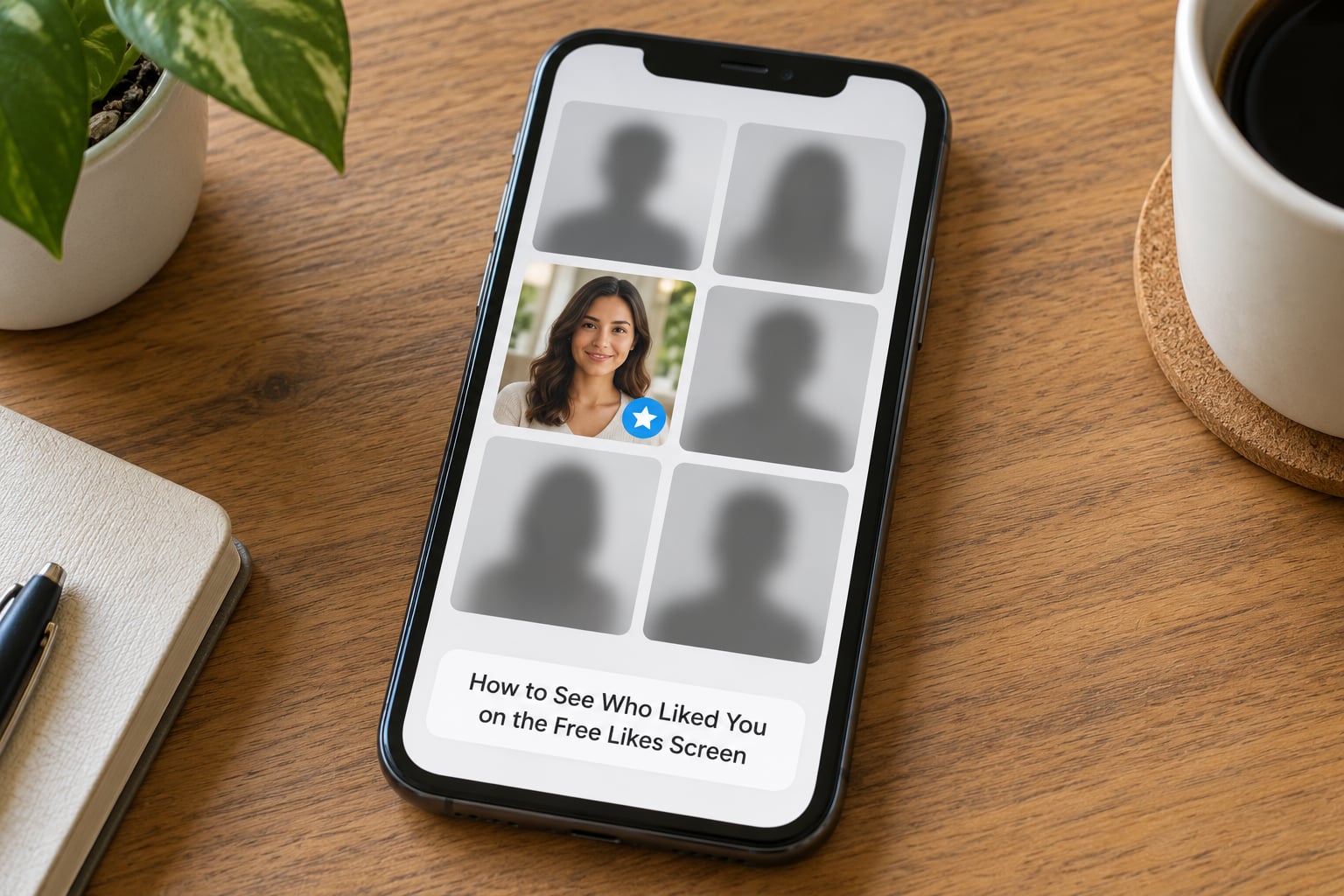
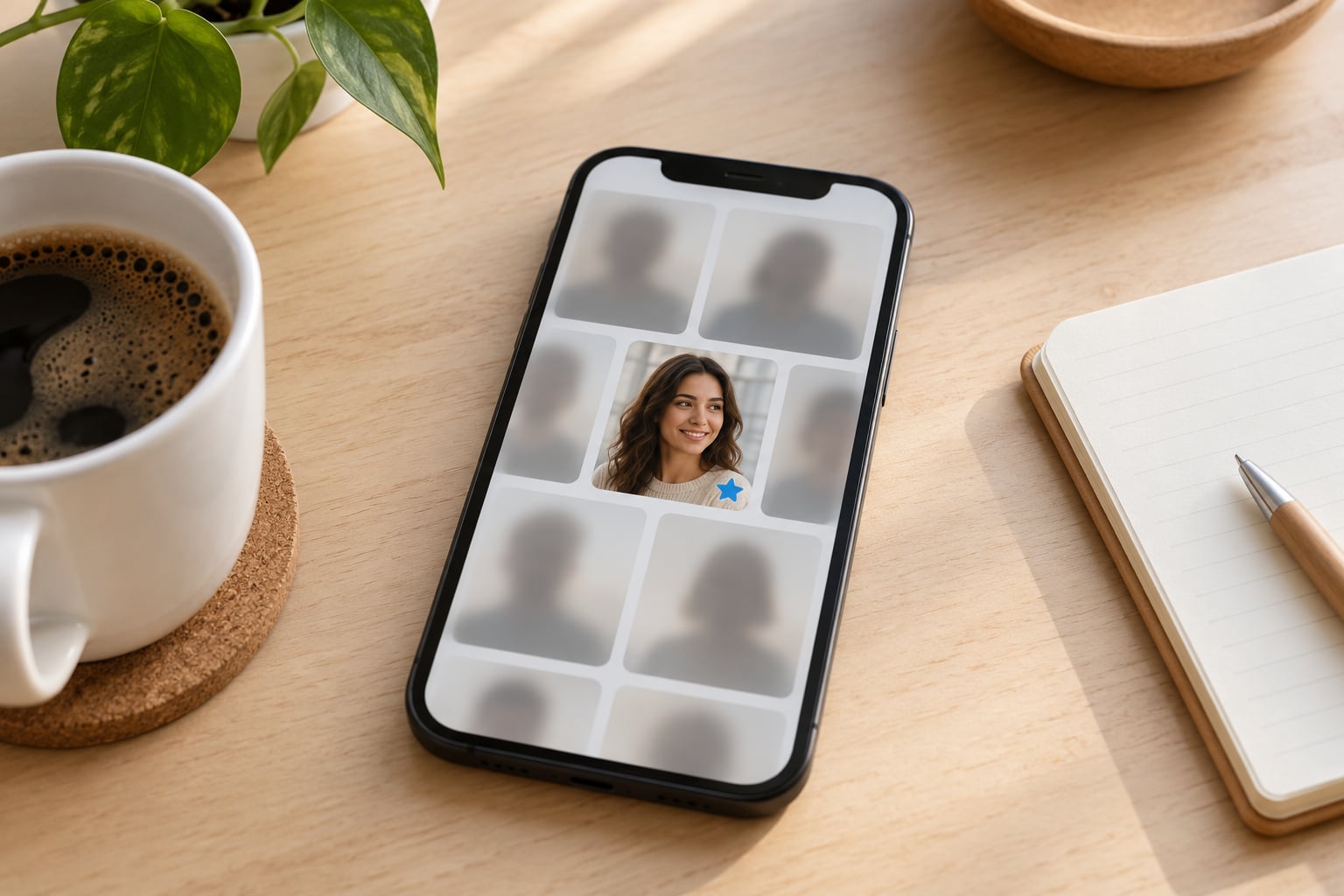
Every app keeps a likes area, and every app limits what a non-paying member sees inside it. Tinder hides the Likes You grid behind Gold and Platinum, leaving free members with blurred tiles. Hinge shows the most recent like in full and blurs everything before it unless you hold Preferred membership. Bumble keeps its who-liked-you list inside the paid area as well, with the free experience offering little beyond a count.
Here is what each app actually gives you for nothing:
- Tinder: no, the list is not free. You get a blurred Likes You grid and a count. Gold unlocks the list, with Platinum above it. Free workaround: like back through the swipe deck and watch for the blue Super Like star.
- Hinge: partly. The single most recent like is visible in full, everything older is blurred, and Preferred membership unlocks the rest. Free workaround: open the app daily so the newest like is always yours to see.
- Bumble: no, not on the free tier. You get a count of likes with the profiles held back, and Premium plus the Bootstrappers feature unlock the list. Free workaround: check matches and opening moves, and tighten your distance filter so the deck is relevant.
What that means in plain terms: Hinge gives you the most, Tinder gives you almost nothing, and Bumble gives you a number. If you are on a budget and you want any visibility into admirers, Hinge’s most-recent-like window is the one worth building a habit around.
Other apps exist too, and some surface liker information more generously than the big three do. Rather than guess, open the app’s likes area on a free account and read what it says. That check takes a minute and is more reliable than any listicle, including this one.
Check New Matches and Messages for Signs of a One-Way Like
The most reliable free signal is not a grid at all. It is the instant match. If you like someone and the match registers immediately, they had already liked you, because a match requires two yes answers. People working out how to see who liked you without paying regularly land on this point in forum threads: like people back and read what happens next.
Four related signals are worth knowing:
- The blue Super Like star. A blue star on a profile in the deck means that person used a paid Super Like on you. On Tinder this star is visible while you swipe, free or not.
- The missed match notice. Both Tinder and Bumble will flag that two people matched and the conversation went nowhere. That match existed, so the like existed.
- Rewind. On Bumble and Hinge, Rewind recalls your most recent pass. If you swiped on someone quickly, Rewind often reveals a mutual match that was sitting there.
- Opening messages that are too specific. A message referencing something from your profile usually means the person actually opened it, which means a match, which means a like.
The distinction worth holding onto: a profile view is not a like. Plenty of free-tier activity indicators show someone looked, scrolled past or visited. If you are deciding whether to pay to find out, do not treat traffic as interest.
Review Profile Activity and Notifications
Notifications are the closest thing to a free likes feed. Turn on push alerts for matches, likes and messages, and turn on the email equivalents, because people disable app permissions more often than they disable email.
Then build the habit that matters most on Hinge. Because free members only see the newest like, a daily check is not optional there. Someone who opens Hinge every morning sees every admirer arrive in order. Someone who checks once a week sees one face and loses the rest, which is why r/hingeapp threads keep circling back to how frustrating the limit feels in practice.
A quick daily routine: open the app, check the likes area first, then the messages, then swipe. Two minutes. It costs nothing and it is the difference between seeing people and losing them.
Use Free Filters and Search to Narrow Down Likely Matches
You cannot buy the blurred faces back, but you can shrink the space they come from. Distance, age range and orientation filters are free on most tiers, and they change who appears in your deck rather than who has already liked you.
That still helps, in a roundabout way. When the deck is tight, more of the people you see are people who fit the same criteria as your admirers, so the ones you like back are likelier to have liked you too. Advanced filters are a different story: on Hinge the deeper preference filters sit behind Preferred, so if you cannot find an advanced option on a free account, that is the tier talking, not a bug.
Adjust settings based on what you actually see. If your deck is empty, widen distance by ten miles before you change anything else. If you get plenty of likes but no conversations, the filter is not your problem and tightening it will not help.
Know When the App Requires a Paid Feature
At some point the free road ends, and it is better to say so than to keep hunting. Gold, Platinum, Preferred and Premium all unlock the full like list. They also unlock unrelated extras, which is the part that makes the decision hard: you are often paying for boosted visibility and message features when what you wanted was names.
Two things to know before you hand over card details.
The desktop Inspect trick is dead. You will still find it everywhere, including on news pages still repeating the same advice: right-click a blurred photo, open developer tools and delete the word blur. r/tinderstories users report it stopped working years ago, because the image is never loaded into the page in the first place. Nothing is hidden behind a filter you can edit.
Free unblur websites are a credential trap. These sites ask you to log in with your real Tinder, Hinge or Bumble account. What you are handing over is your message history, your photos and your account, and the forum consensus on r/SwipeHelper and r/Bumble is blunt: do not. Some exist purely to harvest logins and resell them.
If you do decide to pay, do it in the app, from your own account screen, with a payment method you can cancel. Read the current offer before you tap anything, and check whether a free trial is attached to it. You are reading a moving offer, not a fixed one, so the version you see today may be gone next month.
Common Mistakes That Cost You Real Likes
Treating a profile view as a like. Views and likes are different events with different meanings. Only the match, the Super Like star or the like notification confirms interest, and those are the signals worth acting on.
Paying before exhausting the free options. Plenty of people upgrade after two weeks without checking the likes screen once. Open it, turn on notifications, and run the daily routine for a week first. Many paywall complaints in r/Bumble come from users who never noticed the free matches sitting there.
Following menu instructions from old articles. Screens named in a guide written a few years ago have moved since. Search your app’s own help section for the current label rather than trusting a screenshot, and remember the labels differ between the phone and desktop versions.
Reading a blurred tile as a real profile. Blurred tiles are placeholders. Inferring age, appearance or intent from a smudge is how people convince themselves a match existed when it did not.
Typing a real password into an unblur site. If a page asks you to sign in to a dating app so it can show you your likes, close it. No legitimate tool needs your login to read a screen you are already looking at.
Letting notifications stay off. A like that arrives while your alerts are muted can expire before you ever open the app. Two settings, five seconds, and it removes a whole category of loss.
Frequently Asked Questions
Does Hinge show who likes you without paying?
Partly. Hinge shows your most recent like in full on the free tier, but every earlier like is blurred unless you hold Preferred membership. Because only the newest one is visible, checking the app daily is the practical workaround. Anyone who checks less often than that permanently loses the earlier likes, because they roll behind the newest one and blur.
Can you see who likes you on Tinder unless you pay?
No. The Likes You grid is reserved for Gold and Platinum members, so a free account sees blurred tiles and a count rather than names and faces. Free members still learn about admirers in other ways: liking someone back produces an instant match if they had already liked you, and the blue Super Like star shows on profiles in the swipe deck.
Can someone I passed on still like me?
Yes. Passing on someone is not a block, so they can still like you later, and on most apps the resulting like simply sits in the blurred grid where you cannot see it. On Bumble and Hinge, Rewind recalls your most recent pass, which is the fastest free way to check whether you passed on someone who was already interested.
Are free unblur tools and browser extensions safe?
Usually not. Sites that claim to reveal your likes usually require you to sign in with your real dating account, which hands over your message history, photos and login. The blur is also applied before the image reaches your browser, so no extension can recover it honestly. Forum users consistently advise against these pages and against entering real credentials anywhere off the official app.
Does the Chrome Inspect trick still unblur Tinder likes?
No, it has not worked for years. Older guides told you to right-click a blurred photo, open developer tools and delete the blur value, but the blurred tiles never load the real image, so there is nothing to unblur. Guides repeating this are years out of date. If you find one, scroll past it and check the current in-app help section instead.
Is it worth paying for a dating app subscription?
It depends on volume and intent. If you are getting plenty of matches and conversations, a paid tier mostly saves you the ambiguity of the blurred grid and adds visibility features you may not use. If your matches are thin, paying does not fix a weak profile, and plenty of users report paying and seeing no change. Check the current offer in-app first, including any trial attached to it.
Conclusion: What to Do First
Open the likes screen on your app right now and see what your tier actually reveals, because Hinge shows the newest like and Tinder shows almost nothing. Turn on match and message notifications, check again daily, and read your matches: an instant match or a blue Super Like star tells you more than any blurred grid. If the grid still leaves you stuck after a week of that, then you are looking at a paid feature, not a trick, and the honest move is to read the current offer inside the app before entering any payment details.